
There are a lot of advantages to running code on CDN edge nodes: The latency from the user to your edge service is typically very very low. The services are generally stateless – and so can scale with demand very…

Sometimes you want to create classes that are meant to be low level and fast. You don’t want to pay the cost of virtual virtual functions – you want the functions to be inline. But then at other times you…
Clang has a command line utility that is very easy to use, and adds a static code analysis step to gcc or clang. It is trivial to install (less than 5 minutes – really! ) and works with almost any…
Sometimes when a program is running for you want to dump the complete state of all the calls stacks of all threads in a program. This is not so easy to do yourself, but thankfully there are tools like GDB,…

Rollup is a next generation bundling system that I’m using with react. There is a port of the d3 Javascript graphing library called react-d3. As with most cases where you put together a bunch of new technologies, there are configuration…

As some of my ReactJs projects have gotten larger I needed to start dividing up my code into multiple files and package them up with some kind of javascript “bundling” tool. I’ve settled at least for now on Rollup. And…
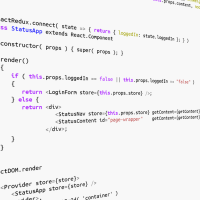
A useful pattern in designing React apps is to drive the instantiation of components from data. That is, instead of the application instantiating the components and then fetching data to fill them, the application fetches data and the data itself…
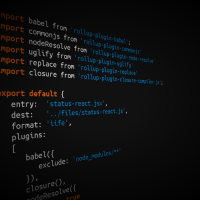
I’ve been experimenting with creating a build environment for a React project that uses Rollup and Babel. One of the choices you can make is how to minify the generated js. I compare using two methods of compacting: Uglify and…
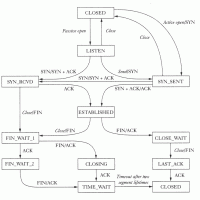
It is not possible through the sockets API to find the connection state of a socket. But on Linux there is a way, a user space way, to find the connection state of a socket. Network information in the Proc…

Jean-Baptiste Fauvelet was born in Bordeaux on June 9th, 1819 and died March 14th 1883. He was a painter and a lithographer. Fauvelet studied painting under Pierre Lacour1 and then under Meissonier. He was a professor of art the collège…